Updates to Employee Webpage
The former working.chapman.edu website has been replaced by inside.chapman.edu, which now features a refreshed layout, expanded news content and improved functionality to make information easier to find. All essential employee logins and resources, including Employee/Manager Self Service, are now accessible at inside.chapman.edu.
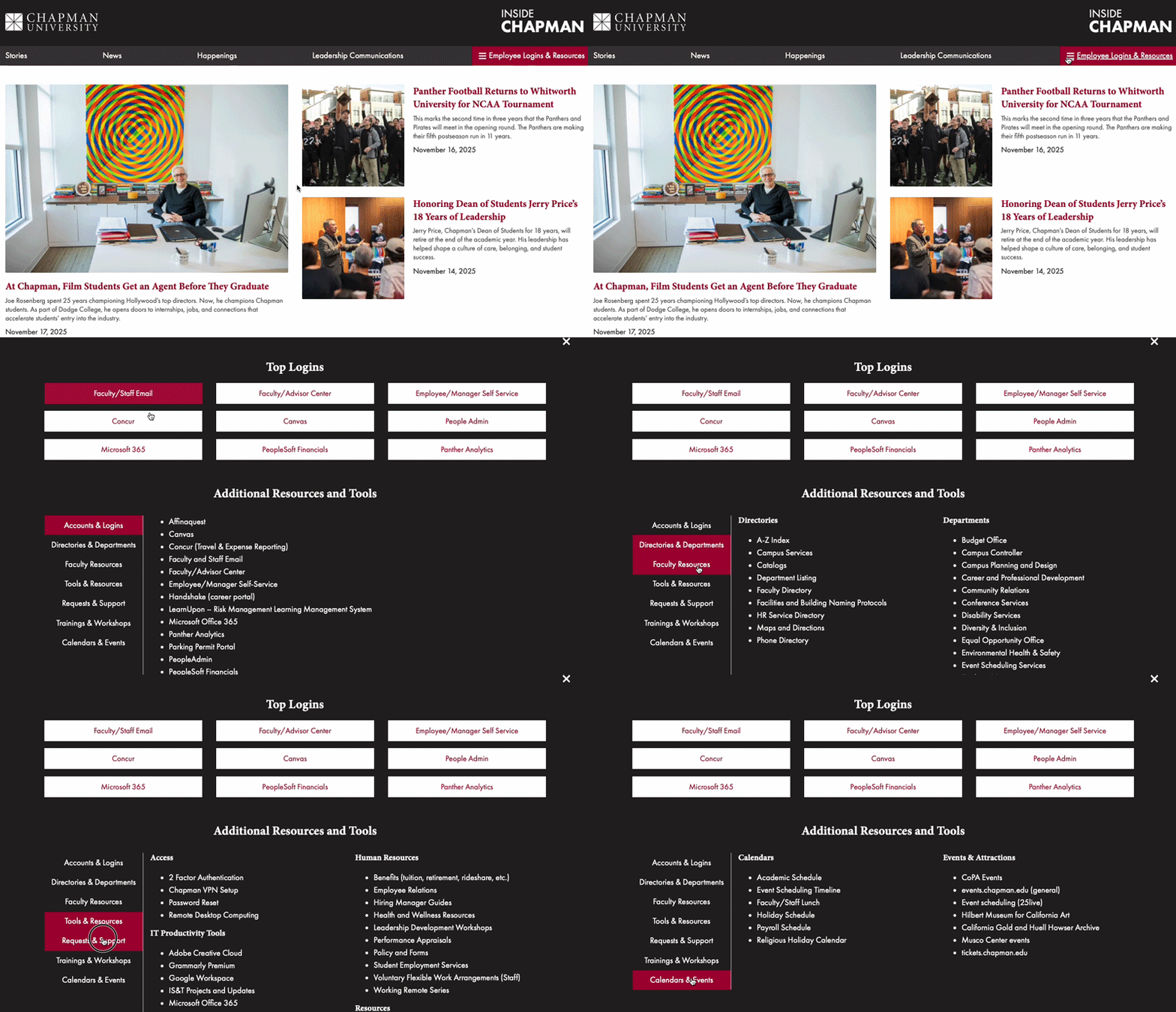
Navigate to Employee Logins & Resources at the top right:
In the top navigation menu on inside.chapman.edu, if you click the red menu button on the right that says “Employee Logins & Resources,” you will see the Top Logins for employees as well as Additional Resources and Tools, which includes sub-menus on the left side with more logins and resources for employees.
Scroll to the Top Logins
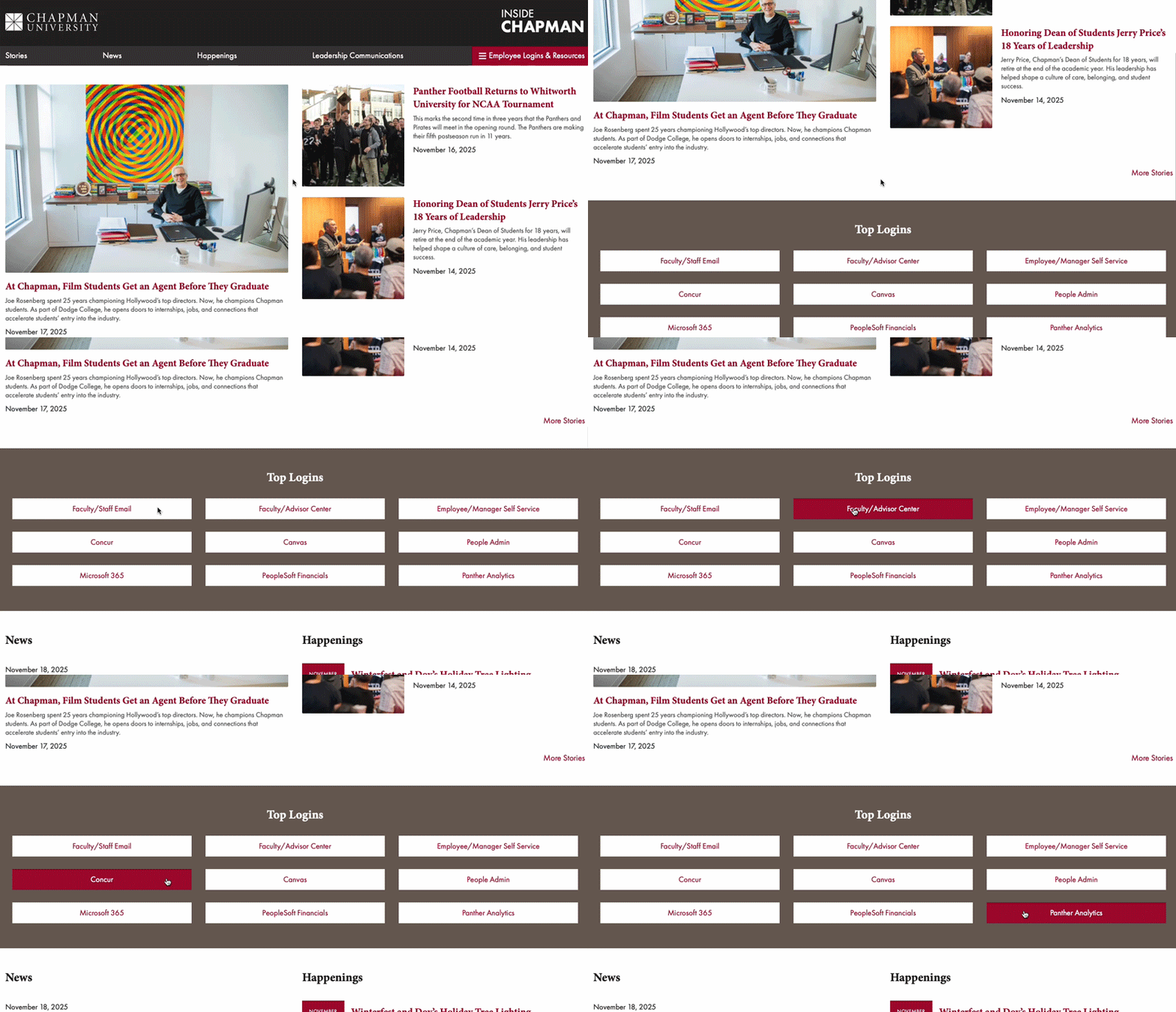
You can also find the Top Logins on inside.chapman.edu below the top stories on the page. Scroll down to find resources such as Employee/Manager Self-Service and more.
Launching New Mass Email Request Process and Newsletter Refresh
Chapman University is launching a new, more streamlined process for university-wide communications to make it easier for faculty and staff to stay informed without inbox overload.
As part of this effort, university-wide emails will now be managed through a new technology platform, and Working@Chapman has relaunched as Inside Chapman.
What this means for you:
- You’ll receive more relevant emails targeted to your interests and role.
- Important updates will appear in Inside Chapman, a more organized and visually engaging newsletter.
- University-wide communications will now follow a coordinated process to ensure consistency and reduce duplication.
These updates are part of an ongoing effort to improve how we communicate across campus and to make important information easier to find and digest.
For questions or support, contact communications@chapman.edu.
For project requests, submit them through this new request form.